• Nullsto Rules must be read before making a post, otherwise you will get permanent warning points or a permanent ban.

    Nullsto Forum provides CLEAN and SAFE resources. You can use them for development and testing if you are on Windows and have an antivirus that alerts you about a possible infection: It is a false positive since every script is double checked by our experts. While downloading a resource, we recommend that you add Nullsto to your trusted sites/sources or temporarily disable your antivirus. "Enjoy your presence on Nullsto"

[Giveaway] Vidmore Screen Recorder | FREE 1 Year Licence

Milanor

Well-known member
Nullsto Lover
Nullsto Fan
Joined
Feb 24, 2023
Messages
1,088
Reaction score
1,282
Points
193
1727240096208.png

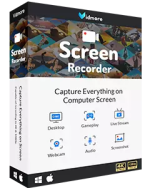
is the most professional Screen & Video & Audio recorder that allows you to capture any on-screen activity and record HD videos on Windows or Mac with original sound/image quality. With the help of this video recorder, you can easily make video tutorials, record webcam videos, capture games, get streaming movies and music, and more with full screen or customized recording area. It also works as an audio recorder to grab system sound & microphone and saves the captured audio in MP3, WMA, AAC, etc. for easy playback. Moreover, you can annotate the recording with a text box, arrow, highlight and more, which enables you to make various settings before video and audio recording. And it is convenient for you take a screenshot of the whole screen or of a single window with ease. After recording, you can save the captured video/image as many popular output formats like MP4, WMV, AVI, GIF, and more according to your needs.


Step 1. Go to the

Enter your name and email address then click on the “Get Free License” button

Check your mailbox to get your free license code

Step 2. Download the installer for Vidmore Screen Recorder –>

Install it on your computer. Open the program and enter the license key to activate the software:

  • Only can be used for 12 months
  • No upgrade
  • No technical support
 
View attachment 3378

is the most professional Screen & Video & Audio recorder that allows you to capture any on-screen activity and record HD videos on Windows or Mac with original sound/image quality. With the help of this video recorder, you can easily make video tutorials, record webcam videos, capture games, get streaming movies and music, and more with full screen or customized recording area. It also works as an audio recorder to grab system sound & microphone and saves the captured audio in MP3, WMA, AAC, etc. for easy playback. Moreover, you can annotate the recording with a text box, arrow, highlight and more, which enables you to make various settings before video and audio recording. And it is convenient for you take a screenshot of the whole screen or of a single window with ease. After recording, you can save the captured video/image as many popular output formats like MP4, WMV, AVI, GIF, and more according to your needs.


Step 1. Go to the

Enter your name and email address then click on the “Get Free License” button

Check your mailbox to get your free license code

Step 2. Download the installer for Vidmore Screen Recorder –>

Install it on your computer. Open the program and enter the license key to activate the software:
Thank you
 
Back
Top