

- Joined
- Mar 13, 2023
- Messages
- 460
- Reaction score
- 473
- Points
- 63
One of our configs is about to expire, we've been there for 1 year, it's one of the idols, so I know if there's a problem with the config. DNS will expire 10/4/25, please don't repost to other sites or create another thread, I will remove this config if there is such an instance. It also has an ad blocker to avoid pop-up ads on other sites.
How to use
Please read the instructions carefully For YT app: Force stop YT in cp first, then put the dns (DoT) in cp settings.
On PC, just put the dns (DoH) in the settings of your preferred browser then refresh YT working. If not, basic troubleshooting, close browser then open again. Try browsing YT after, especially the vids with ads if ads still appear. CP app before adding DNS
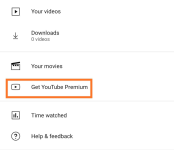
After adding dns
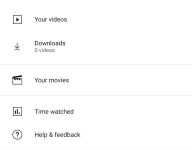
Browser before adding DNS
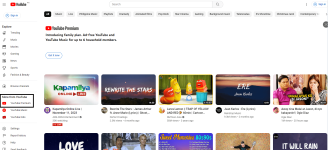
After adding dns
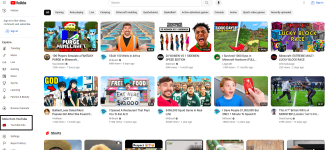
Again, YT music, if you use dns it won't work. Remove dns when you use it. Don't look for Premium features like background playback, etc., YT's ads just removed it.
| IPv4 For android tv/smart tv/pc/router | 76.76.2.162 76.76.10.162 |
| IPv6 For android tv/smart tv/pc/router | 2606:1a40:0:3:4106:d79c:c313:0 2606:1a40:1:3:4106:d79c:c313:0 |
| For pc browser - DNS-over-HTTPS/3 (DoH) | |
| For cp - DNS-over-TLS/DoQ (DoT) | 90o10rm2vn.dns.controld.com |
How to use
Please read the instructions carefully For YT app: Force stop YT in cp first, then put the dns (DoT) in cp settings.
On PC, just put the dns (DoH) in the settings of your preferred browser then refresh YT working. If not, basic troubleshooting, close browser then open again. Try browsing YT after, especially the vids with ads if ads still appear. CP app before adding DNS
After adding dns
Browser before adding DNS
After adding dns
Again, YT music, if you use dns it won't work. Remove dns when you use it. Don't look for Premium features like background playback, etc., YT's ads just removed it.


